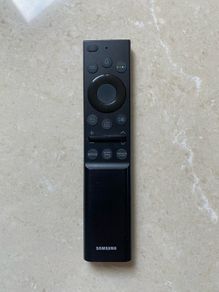
Samsung TV remote
- Seller:
-
tug
Top Seller

- Feedback:
- Location:
- 10 more ads from this seller
- Entered/Renewed:
- 45 minutes ago
- Ad Views:
- 10


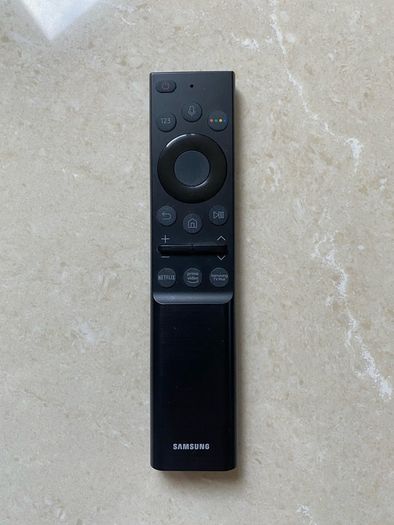
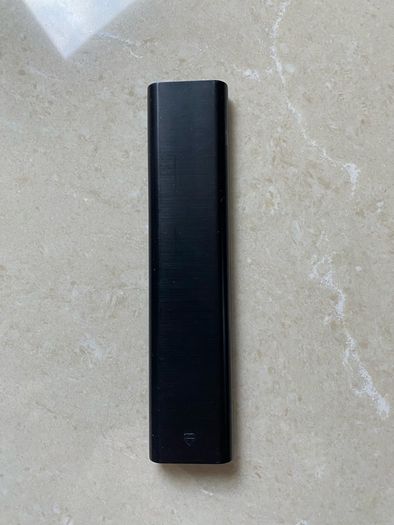
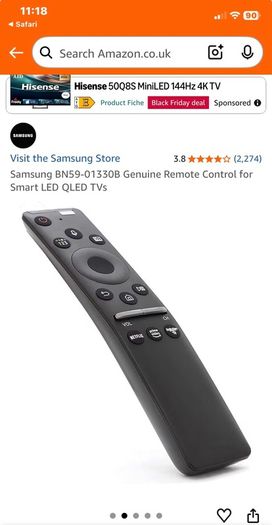
Samsung TV remote
Description
Condition:
New
Samsung smart remote (one remote)
Key Features
• Universal Control. Automatically detects and controls connected HDMI devices such as Blu-ray players, soundbars, and streaming sticks.
• SolarCell Charging. Modern models recharge via indoor or outdoor light using a rear solar panel, or through a USB-C port, eliminating disposable batteries.
• Voice Assistant Integration. Features a built-in microphone button supporting Samsung Bixby and Amazon Alexa for hands-free navigation.
• Streamlined Layout. Replaces traditional number pads with a directional pad, rocker switches for volume and channels, and dedicated streaming app shortcuts.
Pairing & Setup
• Pair the Remote. Point the remote at the TV's bottom sensor, then press and hold the Return and Play/Pause buttons simultaneously for at least 3 seconds until a pairing message appears on screen.
• Set Up External Devices. Press and hold the Home button for 3 seconds, then navigate to Settings > Remote Control > Universal Control to add connected hardware.
• Check Battery Level. Go to Home > Settings > All Settings > General & Privacy > Remote Control on your TV to view the remaining charge.
 Post/Courier PaypalTo be arranged
Asking Price: €25 (Price Non Negotiable)  No swaps
More Similar Ads
See more in our TV category available today